Connect Inspections with Asset Status
Inspection findings should directly affect equipment availability.
A pre-rental inspection may record condition, functionality, meter readings, accessories, configuration, and photographs. A post-rental check may identify damage, missing items, cleaning needs, unusual readings, or customer-reported concerns.
If an asset fails inspection, its status should prevent another booking until the necessary assessment, work, testing, and approval are complete.
Keeping asset inspection and maintenance records connected helps employees follow an issue from its initial observation through technical review and return-to-service approval.
Software maintains the checklist and history. Qualified employees remain responsible for inspections and technical decisions.
Link Maintenance with Availability
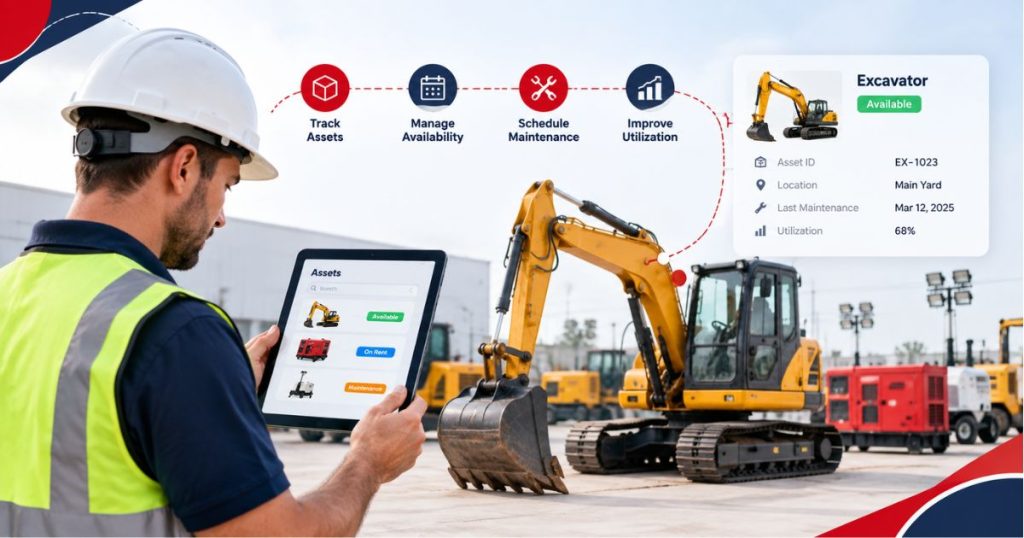
Maintenance may be triggered by calendar dates, operating hours, mileage, meter readings, inspection findings, recurring faults, or manufacturer guidance.
A Rental Asset Management Software process should connect these requirements with the correct asset and its future reservations.
The history may include scheduled maintenance, reported faults, work orders, technician activity, parts, readings, downtime, testing, and approval.
An asset should not return to available status simply because repair work has ended. Testing, cleaning, documentation, or final approval may remain outstanding.
A connected preventive maintenance process can help keep service requirements and equipment restrictions visible alongside the asset record.
Review Utilization with Context
Asset utilization shows how frequently equipment supports rentals during a defined period.
However, high utilization is not automatically positive, and low utilization is not automatically negative.
Heavily utilized equipment may generate strong revenue while leaving limited time for planned maintenance. A specialist asset may rent less frequently but support higher-value projects.
Low utilization may result from unsuitable location, weak demand, pricing, poor condition, missing accessories, maintenance restrictions, or excess inventory.
Managers should review utilization alongside:
- Rental revenue
- Equipment availability
- Downtime
- Maintenance cost
- Age and condition
- Customer demand
- Estimated resale value
A rental asset optimization review can provide further context for evaluating demand, location, availability, and performance.
Connect Financial and Operational Records
Asset decisions often require operational and financial information.
Operational records may include location, rental history, inspections, maintenance, and downtime. Financial records may include acquisition cost, depreciation, repair expenditure, rental revenue, book value, and disposal proceeds.
These records may remain in different systems. The business should define which application owns each record and how asset identifiers remain consistent.
A rental equipment depreciation guide can help teams distinguish acquisition cost, depreciation, book value, and market value.
Book value should not determine repair or replacement decisions alone. Managers should also consider condition, demand, maintenance history, parts availability, downtime, and anticipated resale value.
Manage the Complete Equipment Lifecycle
Equipment lifecycle management covers the asset from acquisition through retirement.
The lifecycle may include purchasing review, receiving, asset creation, rental assignments, transfers, inspections, maintenance, refurbishment, resale, and disposal.
Every stage should preserve an appropriate history.
When equipment is sold or retired, the final record may include the approval, date, condition, buyer or recipient, proceeds, costs, and supporting documents.
Its operational status should also prevent it from returning to rental availability. Telematics assignments, customer access, or stored information may need to be removed before disposal.
Use Reports to Support Decisions
Reports should answer specific questions rather than display isolated numbers.
Managers may want to identify assets with repeated downtime, high maintenance costs, weak utilization, strong demand, or long inspection delays.
A connected rental reporting system can support this analysis when equipment, rental, maintenance, and financial records are complete.
Useful measures may include rental days, time utilization, financial utilization, rent-ready percentage, downtime, maintenance costs, revenue, repair frequency, and asset condition.
Users should be able to move from each summary measure to the assets and transactions behind it.
Asset management software solutions should provide evidence for purchasing, transfer, repair, replacement, and disposal reviews without making those decisions automatically.
What to Test During a Software Demonstration
Ask the provider to demonstrate the lifecycle of one rental asset.
Begin with acquisition and asset creation. Add specifications, location, a future reservation, dispatch, return inspection, failed check, maintenance work, branch transfer, performance reporting, and disposal.
Check whether users can:
- Review current location and status
- See reservations and maintenance restrictions
- Access rental, inspection, and service history
- Review costs, downtime, and utilization
- Record a transfer without losing history
- Retire the asset and remove it from availability
Confirm which functions are standard, configurable, integration-based, or custom.
Conclusion
Asset management software gives rental businesses a structured way to maintain equipment identity, location, condition, availability, inspection history, maintenance activity, utilization, cost, and lifecycle records.
Its value depends on accurate equipment information and clearly defined employee responsibilities.
Start with consistent asset identities and status definitions. Connect inspections and maintenance with availability, preserve transfer and rental histories, and review operational and financial measures together.
The right system should give authorised employees a dependable asset record without replacing technical, accounting, or management judgement.
Ready to assess PREXA365 against your rental asset-management process? Book a free demo or email sales@prexa365.com to discuss asset records, tracking, inspections, maintenance, utilization, reporting, and lifecycle requirements.