Growing rental operations often reach a point where spreadsheets, paper records, and separate applications no longer provide a reliable view of equipment. If employees regularly struggle to confirm asset location, availability, maintenance status, or utilization, it may be time to consider asset management software.
Rental assets move through several operational stages. They are purchased, received, prepared, reserved, dispatched, returned, inspected, repaired, transferred, and eventually sold or retired. Every stage creates information that affects the next rental decision.
When these records sit in different systems, employees spend more time checking information and correcting errors. A reservation system may show an item as available while a maintenance spreadsheet lists it as awaiting repair. Another employee may know that the equipment was moved to a different branch, but the location record has not been updated.
Without a comprehensive EAM (Enterprise Asset Management) framework, organizations face a greater risk of service disruptions and equipment failures, limited visibility and reduced efficiency across business processes. These disruptions can quickly add up. For instance, downtime costs Global 2000 companies – Forbes’ ranking of the world’s largest enterprises by sales, profits, assets and market value – an average of USD 200 million each year, accounting for 9% of total profits, according to a 2024 report.
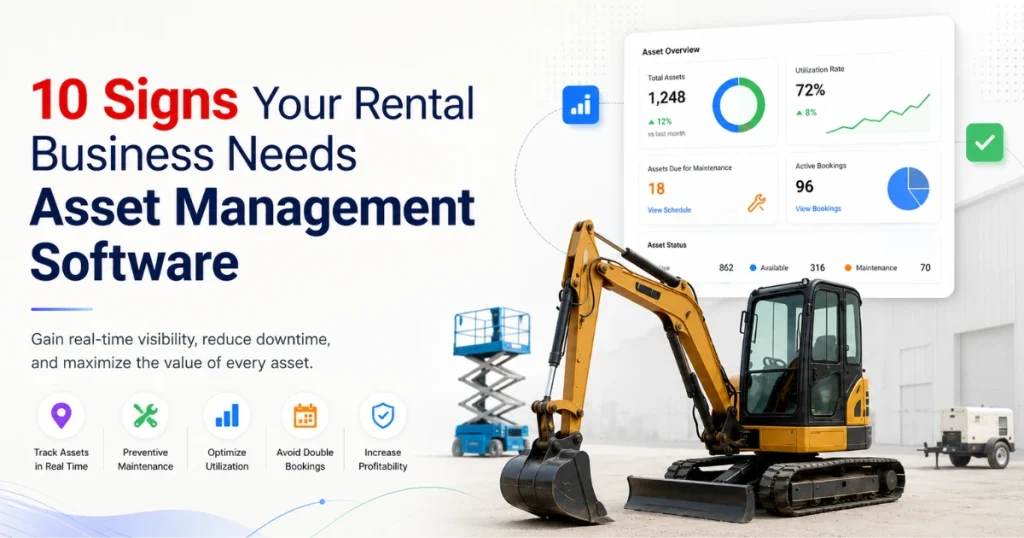
The following ten warning signs can help you determine whether your current asset processes are becoming difficult to manage.
1. Using Equipment Asset Tracking Software to Prevent Lost Equipment Visibility
Rental equipment rarely stays in one place. It may be at a depot, warehouse, customer location, job site, service center, or another branch.
If employees regularly need to call colleagues or search through emails to locate equipment, your location records are no longer supporting the operation effectively.
Poor location visibility can create several problems:
- Delayed customer responses
- Unnecessary replacement purchases
- Failed deliveries or collections
- Equipment transfers that are not recorded
- Assets appearing at the wrong branch
Location information also needs context. Knowing that an asset was last recorded at a customer site does not confirm whether it is still on rent, awaiting collection, or being exchanged.
Suitable equipment asset tracking software should connect the current location with the asset’s rental status, customer, contract, and expected return date. Depending on the equipment and available integrations, location data may come from employee updates, barcode scans, telematics devices, or transfer records.
For businesses operating vehicles or mobile equipment, fleet asset tracking should also distinguish between an asset’s last reported location and its confirmed operational status. A location signal alone does not show whether equipment is ready to rent.
2. Double Bookings Are Becoming a Regular Problem
Double bookings occur when the same asset or required quantity is committed to overlapping rentals. They often result from delayed updates, incomplete return records, or availability checks that ignore maintenance and preparation periods.
The effect can extend beyond one order. Employees may need to find a substitute, arrange a transfer, revise delivery plans, or contact another customer whose reservation is affected.
Availability should account for the complete rental window, including:
- Equipment preparation
- Delivery or customer collection
- Rental start and end dates
- Return transportation
- Inspection and cleaning
- Maintenance restrictions
For example, an excavator returned on Friday may not be ready for another rental on Saturday if it requires inspection, refueling, cleaning, or attachment checks.
The system should also account for related items. A primary asset may require a trailer, attachment, battery, cable, or safety accessory. Confirming the main item without checking these dependencies can still result in an incomplete rental.
Asset management software should therefore support the scheduling process with current availability and status information. However, conflict checks are only reliable when extensions, early returns, maintenance restrictions, and transfers are recorded promptly.
3. Your Team Spends Too Much Time Checking Asset Availability
A customer asking whether an item is available should not trigger a search across several spreadsheets, calendars, and maintenance logs.
When employees need to compare multiple systems, the answer may depend on who performs the search. One employee may check existing reservations, while another may overlook an upcoming service requirement or unrecorded branch transfer.
The following status structure provides a useful starting point:
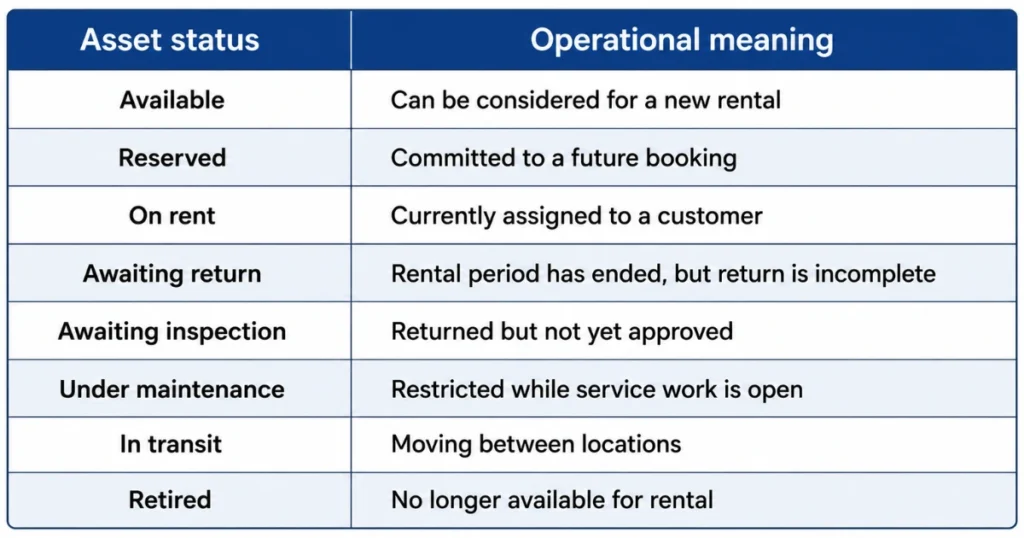
Agreeing on these definitions is as important as selecting the software. If employees interpret “available” differently, reports and reservation checks will remain unreliable.
A connected equipment visibility software system should provide one current operational record rather than forcing employees to reconstruct availability manually.
4. Preventive Maintenance Is Consistently Missed and The Role of Asset Maintenance Software
Missed maintenance is a clear sign that asset information and service processes are disconnected.
Maintenance may be triggered by a calendar date, operating hours, mileage, rental cycles, inspection findings, or manufacturer recommendations. Managing these requirements manually becomes difficult as the fleet grows.
Common warning signs include:
- Service dates stored in personal calendars
- Meter readings that are not updated
- Overdue work found shortly before dispatch
- Maintained equipment still marked unavailable
- Service due during an active or upcoming rental
An asset maintenance software process should connect the service schedule with the individual asset and its current reservation status. Employees then have a better basis for deciding whether work must be completed before dispatching or planned after returning.
Predictive methods may provide additional contexts where reliable condition data is available. For example, operating hours, temperature, vibration, fault codes, and maintenance history may help teams identify equipment that requires technical review. However, predictive asset maintenance should support inspections and technician judgement rather than replace them.
Maintenance software does not guarantee fewer failures. Its value depends on suitable service rules, accurate readings, available parts, trained employees, and clear responsibility for completing and approving the work.
5. Equipment Service History Is Difficult to Access
Maintenance history should not depend on paper files, individual inboxes, or an employee’s memory.
When an asset develops a fault, technicians need to know whether the same issue has occurred before, what work was completed, which parts were used, and when the equipment returned to service.
A useful service history may include:
- Inspection findings
- Reported faults
- Work performed
- Parts and labor
- Meter or usage readings
- Technician or service provider
- Downtime
- Completion and approval dates
Vague notes such as “asset repaired” have limited value. A clearer record identifies the affected component, observed issue, work completed, and functional checks performed before approval.
Service history also supports repair-versus replacement decisions. Managers can review recurring faults, maintenance expenditure, downtime, age, utilization, and rental revenue together rather than making decisions from a single repair bill.
Pre-rental and return inspections should also be fed into this history. When equipment inspection and maintenance records remain connected, a fault identified at return can update the asset of availability and move into the correct service process.
6. You Lack Visibility into Asset Utilization
Owning a large fleet does not necessarily mean the fleet is being used effectively.
Without utilization reporting, managers may not know which assets are rented frequently, which remain idle, and which generate insufficient revenue relative to their costs.
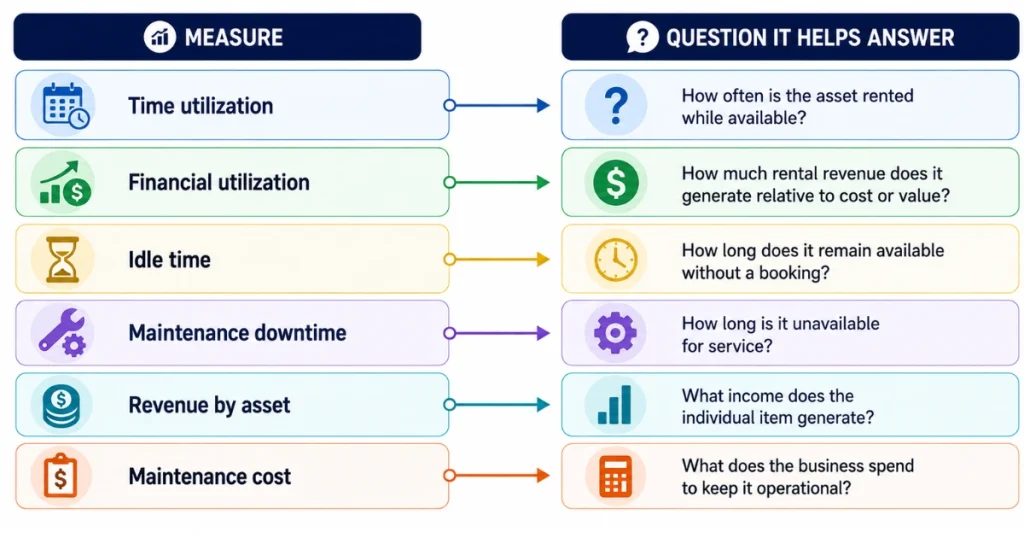
Time utilization is only one part of the picture. A frequently rented asset may still perform poorly if its rate is heavily discounted or its maintenance expenses are high.
Review utilization alongside:
Low utilization can have several causes, including weak demand, unsuitable location, pricing, poor condition, limited attachments, or extended maintenance.
Avoid assuming that every underused asset should be sold. Some equipment provides necessary backup capacity or supports a valuable customer segment even when rental frequency is lower.
A useful utilization report should allow managers to open the underlying asset, booking, revenue, and maintenance records. A percentage without supporting detail may lead to the wrong decision.
7. Reporting Still Depends on Spreadsheets and How Rental Asset Management Software Helps
Spreadsheets can remain useful for one-off analysis, but they become risky when used as the primary operational record for a growing fleet.
Typical problems include:
- Multiple versions of the same file
- Manual copying between systems
- Broken formulas
- Inconsistent filters
- Missing updates
- Limited audit history
A report may appear accurate while using old availability, maintenance, or pricing information. Employees may also spend hours preparing a monthly report that is already outdated by the time it is shared.
Asset reporting should answer defined business questions. Managers may need to compare utilization by location, review assets awaiting inspection, identify overdue maintenance, or examine revenue by equipment category.
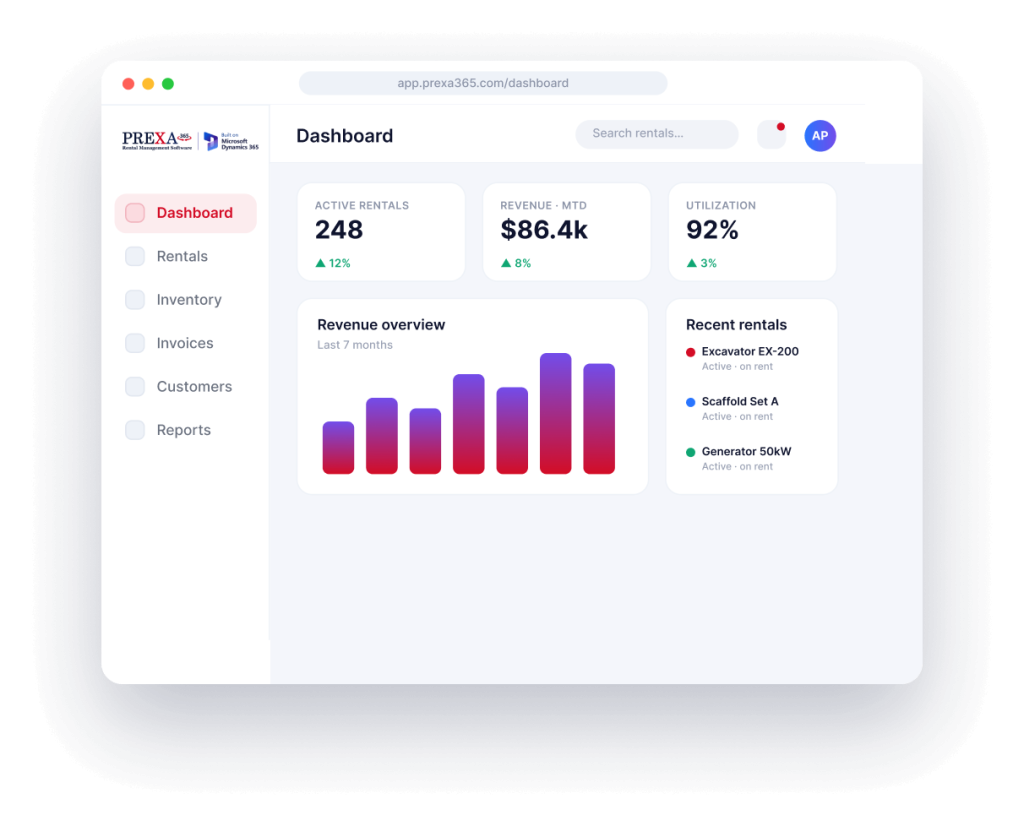
A rental asset management software platform can bring location, availability, maintenance, utilization, and lifecycle records into a connected operational view. This broader guide to rental asset management software explains how asset tracking can fit with rental, customer, maintenance, and financial processes.
Dashboards do not correct inaccurate source data. Employees still need to record rentals, returns, transfers, inspections, and maintenance consistently.
8. Staff Re-Enter the Same Information in Multiple Systems
Duplicate data entry consumes time and creates opportunities for inconsistency.
A customer address may be entered in a CRM, copied into a quotation, typed again for delivery, and entered once more for invoicing. An asset status may be updated in the rental system but not in the maintenance spreadsheet.
When information differs between systems, employees must decide which version to trust.
Common examples include:
- Customer and delivery addresses
- Asset identifiers
- Rental dates
- Meter readings
- Maintenance status
- Pricing and charges
- Invoice information
Before connecting systems, determine which application should hold the primary record for each data type. An integration should exchange agreed information rather than copy conflicting records in both directions.
Automation should not be applied to an unclear process. First document how information should move from enquiry and quotation through rental, return, maintenance, and invoicing. Then determine which steps can be supported through configuration or integration.
9. Rental Asset Demand Forecasting Feels Like Guesswork
Rental demand changes according to season, industry activity, equipment category, location, pricing, and customer projects.
Without historical and current records, purchasing and transfer decisions may rely heavily on individual judgement. Experience remains valuable, but it should be supported by evidence from rental activity.
Useful forecasting inputs may include:
- Historical booking volume
- Current quotations
- Future reservations
- Missed rental requests
- Utilization by location
- Seasonal patterns
- Maintenance restrictions
Forecasts should guide decisions rather than be treated as guaranteed outcomes.
If one branch receives repeated requests for an equipment category, managers may consider transferring assets, changing purchasing plans, reviewing rates, or working with an external supplier. The best response depends on the expected duration and profitability of the demand.
Recording why a request could not be fulfilled is particularly useful. “No availability” may mean insufficient quantity, unsuitable location, missing attachments, maintenance status, or delivery constraints.
Asset management software can provide the historical and current records needed for this review, but people still need to interpret the context and decide how much confidence to place in the forecast.
10. Asset Lifecycle Management Software to Track Complete Rentals
An asset lifecycle begins before its first rental and continues after its final return.
A complete lifecycle may include:
- Requirement and approval
- Purchase or acquisition
- Receipt and inspection
- Classification and setup
- Rental activity
- Maintenance and repair
- Transfer or refurbishment
- Depreciation and valuation
- Retirement, sale, or disposal
If procurement, rental, maintenance, and finance teams use different asset records, the lifecycle becomes difficult to reconstruct.
Asset lifecycle management software should preserve a consistent identifier and history across these stages. Managers should be able to review acquisition details, location changes, rental activity, service costs, downtime, and final disposition without searching multiple systems.
This broader lifecycle view also distinguishes enterprise asset management software from a simple inventory list. The IBM overview explains that enterprise asset management covers operational assets and equipment across their lifecycle and can include work management, maintenance, planning, scheduling, and supply-chain activity.
Before implementation, agree on which departments own at each lifecycle stage and which events must update the asset record.
Conclusion
Asset management problems rarely appear at once. They usually begin with small delays, inconsistent spreadsheets, missed updates, and employees relying on personal knowledge to locate or evaluate equipment.
As the fleet grows, these gaps can affect reservations, maintenance, reporting, purchasing, and customer commitments.
The right asset management software should provide a connected record of equipment identity, location, availability, condition, service history, utilization, and lifecycle activity. It should also support the employees responsible for keeping that information accurate.
Before choosing a system, document the problems you need to solve and establish a baseline for availability checks, booking conflicts, maintenance delays, data corrections, and asset utilization. This gives you a practical way to evaluate whether the new process has improved operations.
Looking for a clearer way to manage rental assets throughout their lifecycle? Book a free demo to review PREXA365 using scenarios relevant to your fleet, or email sales@prexa365.com to discuss your tracking, maintenance, utilization, and reporting requirements.