
Inventory Management Software Buyer’s Guide for Rental Companies
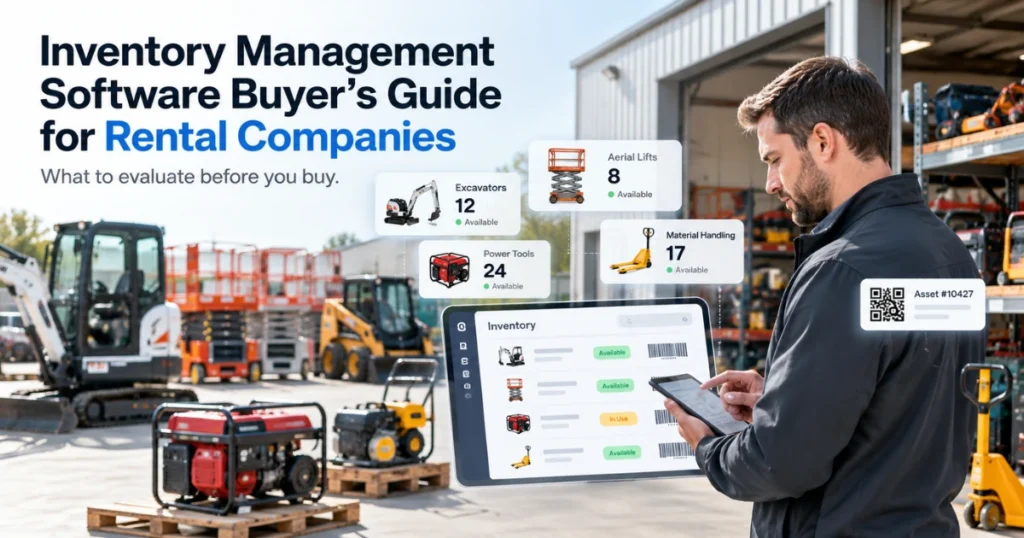
Choosing inventory management software for a rental company requires more than checking whether the system can count stock. Rental inventory moves between warehouses, branches, customers, vehicles, job sites, and service locations. Each movement can affect availability, reservations, maintenance, billing, and the next customer order.
Rental companies may also manage several inventory types. Heavy equipment and cameras often require serialized records. Furniture may be tracked individually or by quantity. Tools, accessories, replacement parts, and consumables may follow different rules.
The financial value of equipment makes accurate records especially important. According to the U.S. Census Bureau, American nonfarm companies invested $1,176.9 billion in new and used equipment during 2022. This figure covers U.S. nonfarm businesses broadly rather than rental companies alone, but it illustrates the scale of capital tied to business equipment.
This guide explains what rental companies should assess before selecting an inventory platform.
Begin with the Inventory You Actually Manage
Do not begin software selection with a generic feature checklist. Start by documenting the inventory currently moving through your business.
Separate it into practical groups:
- Serialized rental assets
- Quantity-based rental items
- Attachments and accessories
- Parts and consumables
- Purchased and rerented equipment
A serialized excavator needs a unique record containing its serial number, location, meter readings, inspections, and maintenance history. Standard folding chairs may be managed by quantity. A camera lens may require individual tracking, while common cables may be counted by type.
The system should support these differences without forcing every item into the same structure.
A documented inventory model also helps identify which information must be cleaned before migration. Duplicate asset numbers, inconsistent product names, missing serial numbers, and unclear status values will create unreliable results in any new system.
Structured Product and Asset Records
A dependable rental inventory management system should organise inventory in a structure employees understand.
The hierarchy may include category, subcategory, product group, make, model, specification, and individual asset. The exact structure will depend on the business.
For example, an equipment rental company may organise excavators by operating weight. A furniture business may use room and collection. An AV company may classify cameras by sensor, mount, or recording format.
Each individual asset record may contain:
- Asset and serial numbers
- Make, model, and specifications
- Current location and status
- Purchase and depreciation information
- Rental, inspection, and maintenance history
Clear product records make searching, booking, transferring, and reporting more reliable. They also reduce dependence on employees remembering which models or items meet a customer requirement.
Serialized and Quantity-Based Tracking
Rental inventory does not fit one tracking method.
High-value, condition-sensitive, or maintainable assets often need individual records. This allows the company to connect each item with its rental activity, condition, service costs, and current location.
Quantity tracking may be more practical for standard stock such as cables, chairs, barriers, linens, consumables, or common tools.
Some items may require both approaches. A rental package could contain one serialized machine and several quantity-based accessories.
When evaluating rental inventory management software, ask the provider to demonstrate both inventory types within one order. Then return one serialized item and only part of the quantity stock.
This test will show whether the platform can process mixed inventory without closing the full rental incorrectly.
Date-Based Availability
Inventory quantity does not confirm rental availability.
An item may exist in the warehouse but already be reserved. It may also be awaiting inspection, scheduled for maintenance, or missing a required attachment.
The system should calculate availability for the requested period and consider the full rental cycle. That may include preparation, delivery, active rental dates, pickup, return inspection, cleaning, and service.
Extensions must trigger another availability check. If one customer keeps an item beyond the agreed return date, the change may affect the next reservation.
A good rental inventory software platform should highlight that conflict before another order is confirmed.
However, availability will only be reliable when employees record bookings, returns, extensions, transfers, and maintenance restrictions promptly.
Location and Movement Tracking
Rental inventory changes location frequently.
An asset may be at a branch, warehouse, customer site, service centre, or inside a delivery vehicle. A current location field is useful, but the movement history provides more context.
A transfer record may contain the source, destination, dispatch date, receiving employee, transport reference, condition, and receipt status.
For multi-location businesses, a transfer may move through requested, approved, dispatched, in transit, received, inspected, and available stages.
The receiving location should not see the asset as rentable before confirming its arrival and condition.
Consistent equipment asset tagging can help employees filter inventory by category, specification, location, condition, and rental status.
This creates more useful rental inventory tracking than a spreadsheet containing only the asset’s last known branch.
Barcode, QR, RFID, and Mobile Scanning
Scanning can reduce manual searches when it fits the operating environment.
Barcode or QR labels may support check-out, return, transfer, inspection, and physical inventory counts. RFID may suit selected operations where several tagged items need to be identified without individual line-of-sight scanning.
The correct method depends on inventory value, volume, movement frequency, storage conditions, and available devices.
A barcode integration for rental software should be evaluated using the labels, cases, shelves, lighting, connectivity, and mobile devices employees will encounter in normal work.
Ask practical questions during the demonstration:
- Can damaged labels be replaced without creating duplicate records?
- Can employees scan several items under one rental?
- What happens when mobile connectivity is unavailable?
- Can users identify the expected item and the scanned item?
Scanning should make each inventory transaction easier to record. If the process adds excessive steps, employees may bypass it.
Packages, Kits, and Related Items
Many rental orders depend on groups of related products.
A camera kit may include a body, lens, tripod, batteries, memory media, cables, and case. A construction rental may combine an excavator, bucket, breaker, and trailer. A bedroom package may include a bed, tables, dresser, mirror, and lamps.
The system should preserve the package while keeping each component visible.
This matters when one item is unavailable, exchanged, damaged, returned early, or sent for repair. The rest of the package may remain active while the affected component follows a separate process.
Fixed packages can support repeat orders. Configurable kits can accommodate different quantities, specifications, or customer requirements.
The software should also confirm the availability of required components before employees promise the complete package.
Reservations, Returns, and Exchanges
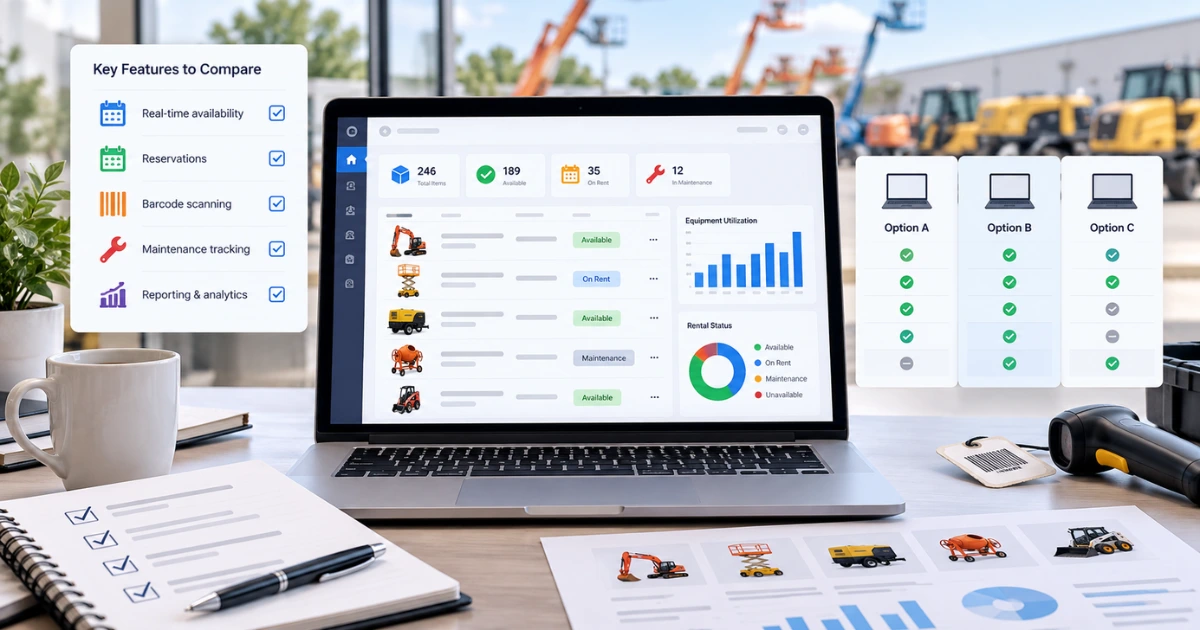
The inventory record should connect with the rental transaction from reservation through return.
When an asset is reserved, its future availability must change. When it is dispatched, the location and status should reflect the movement. When it returns, the system should record the actual return date and condition.
“Returned” should not automatically mean “available.”
An item may still need cleaning, charging, inspection, repair, or approval. Keeping these statuses separate prevents unprepared inventory from entering another reservation.
The platform should also support partial returns. If a customer returns one machine while keeping several attachments, only the returned line should close.
During an exchange, the original and replacement items must retain independent histories. A rental asset exchange process provides useful context for maintaining contract continuity without losing the records of either asset.
Inspection and Condition Records
Condition affects availability, billing, maintenance, and customer communication.
Pre-rental records may document appearance, functionality, meter readings, included components, and existing marks. Post-rental checks may identify new damage, missing items, cleaning needs, or reported faults.
Photographs should remain attached to the correct asset and rental transaction. Notes should also be specific.
“Item damaged” provides limited guidance. “Cracked left housing near the power connector” gives the service team a clearer starting point.
If an item fails inspection, its status should immediately restrict further booking.
The system can maintain the checklist and history. Trained employees remain responsible for inspection, technical assessment, repair decisions, and approval for further rental.
Maintenance and Parts Inventory
Maintenance requirements should remain connected to rental availability.
Service may be triggered by a date, operating hours, mileage, meter readings, inspection results, or manufacturer guidance.
The inventory platform should show when equipment is due for service and whether required parts are available. A repair cannot progress if a critical component remains out of stock or assigned elsewhere.
Parts used during maintenance should reduce the correct inventory quantity and remain connected to the related service record.
This creates a clearer view of both the asset and the resources required to return it to service.
Maintenance history also supports decisions about asset replacement. Managers can compare repair frequency, maintenance cost, downtime, utilization, and current value. A guide to managing rental asset depreciation can provide additional context when assessing the financial lifecycle of equipment.
Purchasing, Receiving, and Reordering
Rental inventory management also begins before an item becomes available.
The system may need to connect purchase requests, approvals, purchase orders, suppliers, receipts, asset creation, and stock updates.
Partial receiving is important. A supplier may deliver the main equipment before accessories or replacement parts arrive.
The outstanding quantity should remain open rather than appearing fully received.
Stock alerts can inform employees when availability falls below an agreed level. However, an alert should not automatically create a purchase without considering current reservations, expected returns, existing orders, supplier lead times, and seasonal demand.
A rental procurement system can be assessed for supplier records, purchasing controls, receipt activity, rerent purchases, and approval requirements.
Inventory Adjustments and Audit History
Inventory records will sometimes require correction.
Items may be damaged, lost, found, written off, returned to a supplier, or counted differently during a physical check.
Every adjustment should retain a reason, date, quantity, location, and responsible user. Significant changes may also require approval.
The audit history should show what changed rather than replacing the earlier value without explanation.
This helps managers investigate differences between system quantities and physical stock. It also makes repeated adjustment patterns easier to identify.
For instance, recurring shortages in one product category may indicate a receiving, issuing, return, labelling, or counting problem.
Reporting That Supports Decisions
A useful inventory report should answer a business question.
Managers may need to identify items with low utilization, frequent repairs, repeated shortages, long inspection delays, or high demand at a particular location.
Useful measures may include:
- Available, reserved, on-rent, and restricted quantities
- Rental days and utilization
- Inventory movements and adjustments
- Maintenance cost and downtime
- Revenue by item or asset
- Aging and depreciation
These measures need context.
Low utilization may result from poor location, weak demand, condition, pricing, missing accessories, or excess stock. A frequently rented asset may still perform poorly if repair and delivery costs remain high.
A business intelligence guide for equipment rentals can help managers consider operational, maintenance, and financial records together.
Rental Inventory Software Evaluation Checklist
Use one realistic rental scenario to test the platform rather than reviewing feature screens separately.
| Area | What to verify |
| Inventory records | Categories, specifications, serial numbers, quantities, and status |
| Availability | Future bookings, expected returns, inspections, and service restrictions |
| Tracking | Locations, transfers, mobile access, scans, and movement history |
| Packages | Serialized and quantity-based components within the same order |
| Returns | Partial returns, exchanges, condition checks, and availability controls |
| Maintenance | Service schedules, parts use, restrictions, downtime, and history |
| Purchasing | Suppliers, orders, approvals, partial receipts, and stock updates |
| Controls | Adjustments, permissions, audit history, and exception handling |
| Reporting | Availability, utilization, aging, cost, revenue, and discrepancies |
| Implementation | Data cleanup, migration, configuration, training, and support |
What to Test During the Demonstration

Ask each provider to process a transaction that reflects your inventory.
The scenario should include serialized equipment, quantity stock, an accessory package, a future booking, a location transfer, a failed return inspection, a partial return, a replacement item, parts consumption, and a stock adjustment.
Then test an exception.
Try scanning the wrong item, receiving only part of a purchase order, or extending a rental into another reservation. Review how the software alerts the employee and how the issue is resolved.
Also confirm whether each function is standard, configurable, integration-based, or custom. Review data migration, mobile access, user permissions, reporting, support, and additional licensing requirements.
Conclusion
The right inventory management software should provide more than current stock counts.
It should connect item identity, location, date-based availability, reservations, packages, transfers, inspections, returns, maintenance, purchasing, adjustments, and reporting.
A suitable rental inventory management system must also handle the exceptions that occur during daily rental work. Items return separately. Equipment fails inspection. Packages lose components. Transfers arrive late. Physical counts do not always match system records.
Before selecting a platform, define your inventory types, locations, status rules, and employee responsibilities. Clean existing records before migration, then test each shortlisted system using a complete rental scenario.
The best rental inventory management software is the platform that helps employees keep inventory records current without making routine transactions difficult to complete.
Ready to review PREXA365 against your rental inventory requirements? Book a free demo using equipment and workflows from your operation, or email sales@prexa365.com to discuss inventory tracking, reservations, transfers, inspections, and reporting.


