
How Rental Equipment CRM Improves Customer Retention & Business Growth
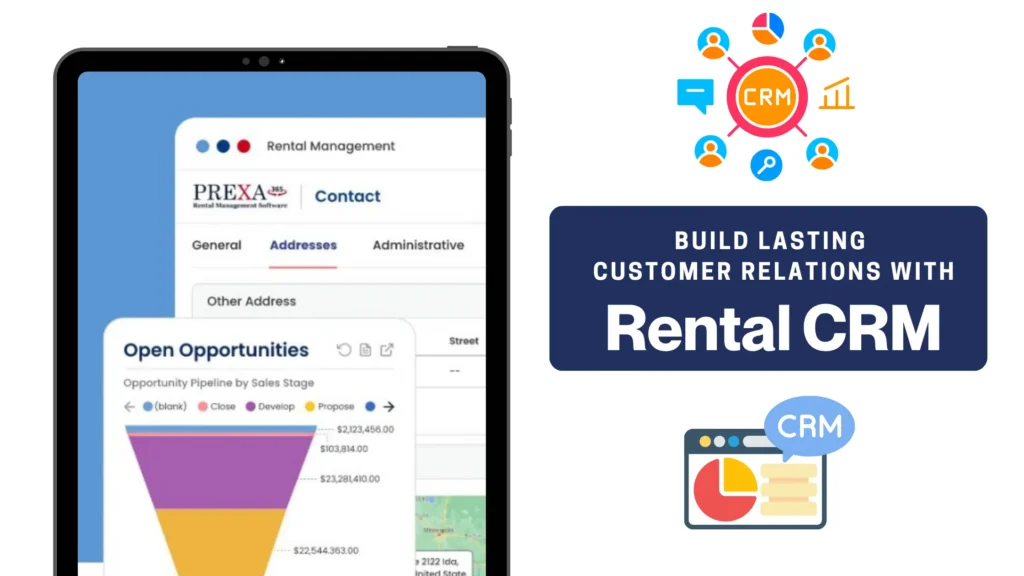
A Rental Equipment CRM helps rental businesses centralize customer information, manage sales opportunities, prepare quotations, track conversations, and maintain complete rental histories in one connected system.
Without a centralized platform, customer information often becomes scattered across spreadsheets, email inboxes, quotation documents, accounting apps, and employees’ personal notes. Sales representatives may not know which customers require follow-ups, while operations teams may receive incomplete information about equipment, delivery dates, pricing, or project requirements.
These gaps can lead to slow responses, inaccurate quotations, missed opportunities, and inconsistent customer service.
For construction equipment, industrial machinery, tools, generators, medical devices, event equipment, and other rental companies, customer experience can directly influence whether a customer returns for future rentals or moves to another supplier.
This guide explains how rental equipment CRM software can help rental businesses:
- Strengthen sales and operational coordination
- Increase repeat rental opportunities
- Improve customer retention
- Support sustainable business growth

Why Customer Retention Matters in Equipment Rental
Rental businesses often invest considerable effort in generating leads, attending industry events, responding to inquiries, preparing quotations, and competing for new accounts.
However, long-term growth does not come only from acquiring new customers. It also comes from developing existing relationships and encouraging customers to return for future rental requirements.
A contractor renting equipment every month may deliver significantly more long-term value than a customer completing a single transaction. The same applies to municipalities, hospitals, event companies, manufacturers, utilities, and industrial service providers with recurring equipment needs.
Bain & Company has reported that, depending on the business and its customer economics, a 5% increase in customer retention can increase profits by between 25% and 95%.
For an equipment rental company, improving retention can contribute to:
- Greater customer lifetime value
- Better revenue forecasting
- More referrals and recommendations
- Stronger utilization of sales resources
Retention is influenced by the entire customer experience.
Customers remember whether:
- Their negotiated pricing was honored
- Problems were resolved quickly
- Communication remained consistent
- The rental company understood their requirements
A Rental Equipment CRM helps teams manage these interactions as a connected process rather than a collection of isolated transactions.
What Is a Rental Equipment CRM?
A Rental Equipment CRM is customer relationship management software designed or configured to support the sales, service, and account-management requirements of equipment rental companies.
Microsoft describes CRM as a software solution that centralizes and improves customer interactions across sales, marketing, and service. A connected CRM can also help teams automate processes, analyze customer information, and collaborate across departments.
For rental businesses, CRM functionality should extend beyond storing customer names and contact details.
A rental-focused CRM should help teams manage information such as:
- Return and pickup information
- Follow-up activities
- Future project opportunities
When this information is maintained in one environment, employees can understand the customer’s complete relationship with the rental company.
A Practical Rental CRM Example
Consider a construction company contacting an equipment rental provider for an excavator.
Without a centralized CRM, the salesperson may need to search through:
- Accounting records
- Rental spreadsheets
- Personal notes
- Conversations with other employees
With a Rental Equipment CRM, the representative can immediately review:
- Service concerns
- Related equipment previously rented
The representative can provide a faster and more relevant response without asking the customer to repeat information already provided during previous rentals.
This helps create a more professional and personalized customer experience.
Why Rental Companies Need More Than a Traditional CRM
Traditional CRM applications generally manage leads, contacts, sales opportunities, activities, emails, and sales pipelines.
These functions are valuable, but equipment rental companies have additional requirements.
Rental teams must consider:
- Transportation
- Inspection requirements
- Rental extensions
- Equipment substitutions
- Service requirements
- Returns and exchanges
- Contract billing

A generic CRM may show that a customer wants to rent equipment. A rental-focused CRM should also help the company determine whether it can fulfil that requirement successfully and profitably.
Prexa365 is built on Microsoft Dynamics 365 using Microsoft Power Apps and provides an end-to-end rental management solution. It includes Customer Relationship Management (CRM), Rental Quotes and Orders, Asset Management, Sales Management, and service management capabilities to help equipment rental businesses streamline operations and improve customer experience.
This connected approach can reduce the need to move between separate CRM, rental, asset, and quotation applications.
How Rental Equipment CRM Supports the Customer Journey

The rental customer journey begins before equipment is reserved and continues after the equipment is returned.
A CRM helps companies manage each stage consistently.
Capturing Customer Inquiries
Rental inquiries may arrive through:
- Sales representatives
- Trade shows
- Customer referrals
- Social media
- Marketplace listings
- Existing account relationships
These inquiries should be recorded with important information.
When inquiries remain in individual email inboxes, they may be forgotten or delayed.
A CRM creates a shared record that can be assigned to the correct salesperson, monitored, and followed through to completion.
Managing Rental Opportunities
Not every inquiry immediately becomes a confirmed rental. The customer may still be evaluating equipment specifications, seeking internal approval, or negotiating rental rates.
A structured opportunity helps the sales team monitor the potential rental.
The record may include:
- Probability of closing
- Current sales stage
- Competitors
- Special pricing requirements
- Transportation needs
- Next follow-up activity
- Assigned account manager
Microsoft Dynamics 365 Sales supports the management of accounts, contacts, leads, opportunities, forecasts, customer interactions, and sales activities from a connected sales environment.
A structured pipeline helps rental sales managers answer questions such as:
- Which opportunities are most likely to close?
- What equipment will customers require next month?
- Which quotations are awaiting a response?
- Which salesperson owns each opportunity?
- What is the estimated future rental revenue?
- Which opportunities have had no recent activity?
Preparing Faster and More Accurate Quotations
A rental quotation is often the first formal document a customer receives.
Its speed, clarity, and accuracy can influence the customer’s decision.
A customer may request quotations from several rental providers. A company that responds quickly with complete and accurate information may have an advantage over a supplier that takes several days to reply.
A connected Rental Equipment CRM can carry information from the opportunity into the quotation, including:
- Rental rate
- Quantity
- Accessories
- Deposit requirements
- Commercial terms
This reduces repeated data entry and helps prevent inconsistencies between the customer’s request and the quotation.
A structured rental quotation process can support faster response times, fewer pricing errors, and more consistent quote formats.
PREXA365 supports the creation of contacts, quotations, invoices, rental contracts, tasks, and related rental records through its connected rental platform and AI-assisted capabilities.
Converting Accepted Quotes into Rental Activity
Once a customer accepts a quote, the information must move from sales to rental operations.
Operations teams need accurate details about:
- Reserved equipment
- Rental dates
- Jobsite location
- Delivery instructions
- Customer contacts
When this information is exchanged through unstructured emails or verbal conversations, details can be missed.
A connected rental quoting system and rental workflow reduces the need for operations teams to enter the same information again.
It also helps ensure that the final rental order reflects what the customer approved.
Managing Communication During Active Rentals
Customer communication remains important after the equipment has been delivered.
Customers may contact the rental business regarding:
- Breakdown support
- Maintenance visits
- Delivery changes
- Contract amendments
- Return dates
Recording these interactions provides a common timeline that can be viewed by sales, service, operations, and management teams.
This prevents the customer from receiving conflicting information from different departments.
Following Up After Equipment Return
A customer relationship should not end when the equipment is returned.
Post-rental follow-up provides an opportunity to:
- Confirm customer satisfaction
- Record service concerns
- Request feedback
- Resolve outstanding issues
- Discuss upcoming projects
For example, a salesperson could contact a contractor after a completed rental to ask about the next project phase. Based on the previous rental history, the representative may also recommend attachments, generators, lifts, or other related assets.
This turns a completed transaction into an opportunity for future business.
Key Benefits of Rental Equipment CRM
A Centralized Customer View
One of the most important benefits of rental CRM software is the ability to maintain a single customer record.
Instead of searching across several systems, employees can review:
- Account details
- Contacts
- Conversations
- Opportunities
- Quotations
Microsoft notes that unified CRM tools can provide an end-to-end view of the customer, from initial interest through purchasing and subsequent interactions.
This visibility becomes especially important when a customer works with several departments or locations.
If you want to know about Customer acquisition strategies in equipment rentals for the digital era look at the informational article.
Faster Customer Responses
Employees can respond more quickly when they do not need to search through multiple spreadsheets and inboxes.
For example, a representative can immediately check:
- Which equipment the customer previously rented
- Whether a quotation is still open
- Which pricing was previously approved
- Who last contacted the customer
- Whether there is an unresolved service concern
Faster responses can improve the customer experience and reduce the risk of losing time-sensitive rental opportunities.
Consistent Sales Follow-Ups
Sales opportunities are often lost because the salesperson does not follow up at the right time.
CRM activities and reminders can help teams schedule actions such as:
- Following up after sending a quotation
- Calling before the customer’s project start date
- Confirming equipment quantities
- Reviewing an expiring rental
This makes the sales process less dependent on individual memory.
Better Customer Segmentation
Rental companies can organize accounts based on information such as:
- Industry
- Customer location
- Equipment category
- Rental frequency
- Revenue contribution
This allows teams to create more targeted sales activities.
For example, the company could identify customers that rented heating equipment during the previous winter and contact them before the next seasonal demand period.
Improved Account Management
Rental CRM software helps account managers understand which customers require attention.
They can identify:
- High-value accounts
- Frequently active customers
- Customers with decreasing rental activity
- Customers with unresolved concerns
- Accounts with multiple open quotations
This supports proactive account management instead of waiting for customers to initiate every conversation.
Stronger Sales Forecasting
A structured opportunity pipeline can improve visibility into expected future revenue.
Managers can review:
- Opportunity value
- Expected closing date
- Salesperson
- Customer segment
This information can also help operations teams anticipate future equipment demand.
Forecasts are only as reliable as the information entered, so organizations should define clear CRM data-quality standards.
More Repeat-Rental Opportunities
Rental history can help sales teams identify customers that may need the same equipment again.
Examples include:
- Scheduled shutdowns
- Equipment required during specific project phases
Instead of waiting for the customer to contact the company, the salesperson can perform timely and relevant outreach.
How Rental CRM Connects Sales and Operations
A common challenge in rental businesses is the disconnect between customer-facing teams and operational teams.
Sales may promise equipment without knowing its current status. Operations may receive incomplete jobsite information. Service teams may not know that an asset is required for an upcoming contract.
This can lead to:
- Delayed deliveries
- Last-minute substitutions
- Incomplete orders
- Repeated data entry
- Internal disagreements
- Customer frustration
A connected Rental Equipment CRM helps bridge these gaps.
Example of a Connected Rental Workflow
- A salesperson receives an inquiry for a 90-day equipment rental.
- The customer, contact, project location, and rental dates are recorded.
- The salesperson creates an opportunity.
- Required equipment and accessories are added.
- Pricing and transportation charges are calculated.
- The completed rental is added to the customer’s history.
PREXA365 is described as a rental management solution powered by Microsoft Dynamics 365 that supports rental contracts and invoicing, equipment tracking, inventory management, preventive maintenance, and related rental operations.
Connecting these workflows helps employees work from a shared source of information rather than maintaining separate departmental records.
Using AI to Prioritize Rental Sales Opportunities
As a rental business grows, sales teams may handle hundreds of accounts, quotations, and opportunities.
It becomes difficult to determine which opportunities require immediate attention.
AI-assisted CRM capabilities can help analyze information such as Opportunity age, Customer engagement, Past rental behaviour, Required rental date, Expected revenue, Communication frequency, Quotation status, and Historical conversion patterns.
PREXA365 has introduced an Opportunity Scoring Agent designed to assess rental opportunities using factors such as urgency, previous rental behaviour, and engagement signals. The agent assigns a probability score to help teams evaluate and prioritize the pipeline.
AI-assisted prioritization may help sales teams identify:
- High-potential opportunities
- Quotes requiring immediate follow-up
- Existing customers with a higher likelihood of renting again
- Opportunities approaching their expected start date.
AI should support sales judgment rather than replace it.
The quality of AI recommendations also depends on the quality and completeness of CRM data.
Signs Your Rental CRM Process Needs Improvement
Your rental business may have outgrown its current customer-management process when:
- Customer-specific rates are difficult to track.
- Management cannot forecast rental revenue.
- Lost opportunities are not reviewed.
- Inactive customers are rarely contacted.
- New employees struggle to understand account history.
These signs indicate that customer processes may not have evolved alongside the company’s fleet, customer base, and sales volume.
How to Select the Right Rental Equipment CRM
Choosing CRM software should begin with business requirements, not a list of technology features.
Document the Customer Journey
Map the complete process from inquiry to post-rental follow-up.
Document:
- Where inquiries originate
- Who qualifies opportunities
- How quotations are created
- How pricing is approved
- How accepted quotes become rentals
This helps identify the departments, fields, approvals, and integrations required.
Involve Sales, Service, and Operations
A Rental Equipment CRM should not be selected only by the sales team.
Include representatives from:
- Rental sales
- Customer service
- Operations
- Dispatch
Each team uses customer information differently.
Involving these users early can improve adoption and prevent important operational requirements from being overlooked.
Evaluate Rental-Specific Capabilities
Determine whether the system can support:
- Transportation requirements
- Rental history
- Service activities
- Returns and exchanges
- Multi-location operations
- Dashboards and reports
Review Integration Requirements
The CRM may need to connect with:
- Asset management
- Field service
Integration reduces duplicate data entry and helps provide a more complete customer view.
Plan Customer Data Migration
Poor-quality customer data can reduce the value of a new CRM.
Before migration:
- Review customer-specific pricing.
- Remove outdated contacts.
- Define mandatory information.
- Decide how historical rental records will be migrated.
- Test the data before final import.
Define CRM Data Standards
Employees should understand which information must be recorded.
For example, every rental opportunity may require:
- Sales stage
- Assigned salesperson
- Next action
- Follow-up date
Clear standards improve reporting, forecasting, and accountability.
Rental CRM KPIs to Measure
CRM success should not be measured only by the number of records created.
Rental companies should measure whether the platform is improving customer relationships and business performance.
| KPI | What It Measures |
| Quotation turnaround time | How quickly inquiries become customer-ready quotes |
| Quote-to-rental conversion rate | Percentage of quotations converted into confirmed rentals |
| Follow-up completion rate | Whether scheduled customer activities are completed |
| Repeat-rental rate | Percentage of customers returning for additional rentals |
| Customer retention rate | Number of customers continuing to do business over time |
| Average revenue per customer | Revenue contribution of each active account |
| Sales-cycle length | Time required to move from inquiry to confirmed rental |
| Forecast accuracy | Difference between expected and actual rental revenue |
| Inactive accounts re-engaged | Customers returning after targeted outreach |
| Lost opportunity rate | Opportunities that do not convert |
| Customer response time | Speed of responding to inquiries or concerns |
These measures connect CRM adoption with practical business outcomes.
How PREXA365 Supports Rental Customer Management
A robust rental software brings customer relationship management and rental operations into a connected Microsoft-based environment.
Depending on implementation requirements and configuration, rental organizations can use connected capabilities for:
- Rental orders and contracts
- Asset management
- Inventory
- Service activity
- Returns and exchanges
- Billing
By connecting customer information with rental workflows, sales, operations, service, and management teams can work with a more consistent understanding of the account.
This can be particularly valuable for growing rental companies that need to replace spreadsheets and disconnected systems without separating customer management from rental execution.
Conclusion
Equipment rental companies compete on more than fleet size and rental rates.
They also compete on equipment readiness, customer knowledge, and service quality.
As the business grows, managing customer relationships through spreadsheets, emails, and disconnected applications becomes increasingly difficult.
A Rental Equipment CRM provides a structured way to manage customer information, opportunities, quotations, rental history, communications, and follow-up activities.
When CRM is connected with assets, rental contracts, inventory, service, billing, and reporting, employees gain a more complete view of both the customer and the rental operation.
Rental CRM should therefore be viewed as more than a database for customer contact details. It is a strategic platform for developing the long-term relationships that generate recurring rentals and future revenue.
Turn customer data into stronger relationships and repeat rental revenue.
Book a free demo to explore how connected CRM and rental management capabilities can support your customer-retention and business-growth goals.


