
How to Find a Rental Scheduler with Asset Tagging and Filtering: Your Complete Guide
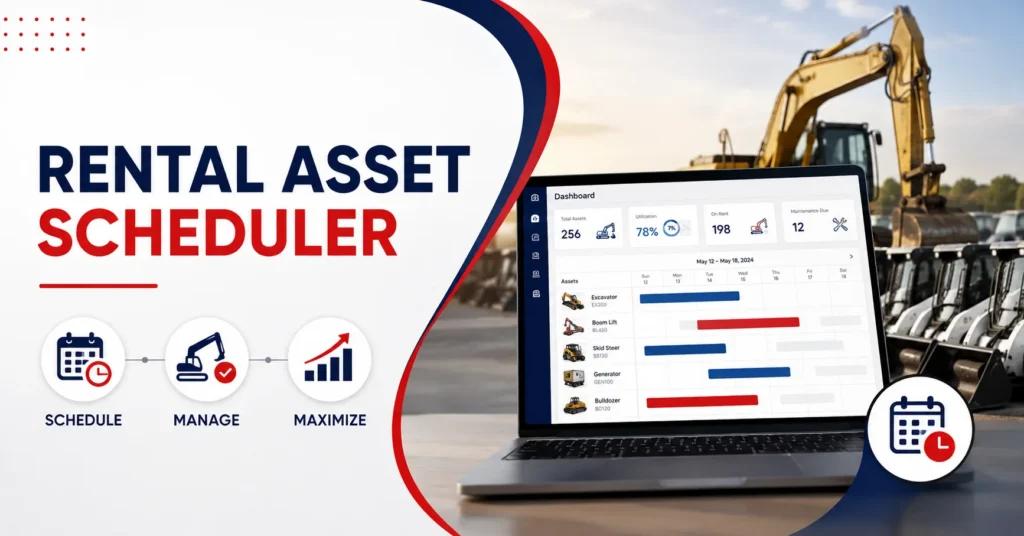
A rental scheduling software with asset tagging and filtering helps rental businesses find available assets, prevent booking conflicts, and allocate equipment based on location, condition, specifications, and rental dates.
Without clear asset data, staff may spend too much time checking spreadsheets, confirming availability, or resolving double bookings. These problems become harder to manage as the fleet, customer base, and number of locations grow.
This guide explains the features to compare, the questions to ask vendors, and the practical steps involved in selecting and implementing the right scheduler for your rental operation.
You will learn how to assess:
- Asset tagging and search controls
- Availability and conflict prevention
- Integrations and mobile access
- Implementation costs and vendor support
Understanding Asset Tagging and Filtering in Rental Scheduling
Asset tagging refers to the systematic categorization and identification of rental equipment using digital labels, codes, or attributes that make each item easily searchable and trackable. These tags can include specifications like equipment type, model, serial number, condition status, location, maintenance history, and availability of windows.
Filtering, on the other hand, allows operators to quickly sort through hundreds or thousands of assets based on specific criteria. Advanced filtering capabilities enable users to search multiple parameters simultaneously, such as equipment category, availability date range, location, condition status, and custom attributes.
When combined with intelligent scheduling features, asset tagging and filtering create a powerful ecosystem that prevents conflicts, optimizes utilization, and provides complete visibility into your rental fleet. Modern rental management software integrates these capabilities seamlessly, offering intuitive interfaces that require minimal training while delivering maximum operational efficiency.
| Tag category | Example values | Scheduling purpose |
| Equipment type | Excavator, generator, camera | Find the correct asset category |
| Location | Depot, branch, job site | Check nearby availability |
| Condition | Ready, inspection due, repair required | Avoid assigning unsuitable equipment |
| Availability | Available, reserved, on rent | Prevent booking conflicts |
| Specifications | Capacity, dimensions, power source | Match equipment to customer requirements |
| Compliance | Certification or inspection date | Confirm readiness before dispatch |
Key Features to Look for in Scheduling Software
Real-Time Asset Visibility
The foundation of effective asset scheduling lies in real-time visibility. Your chosen system should provide instant updates on asset status, location, and availability. This means when equipment returns from a job site, gets scheduled for maintenance, or becomes available for new rentals, all stakeholders see these changes immediately.
Look for systems that offer dashboard views showing asset status at a glance. Color-coded availability indicators, interactive calendars, and filtering options should work together to give you complete visibility into your fleet. A robust asset management software provides exactly this type of comprehensive visibility with real-time tracking capabilities.
Comprehensive Tagging Capabilities
Effective asset tagging goes beyond basic identification. Your scheduler should support multiple tagging methodologies including hierarchical categorization, custom attributes, and automated tag generation. Equipment should be taggable by category (excavators, generators, furniture), specifications (weight capacity, fuel type, dimensions), condition (excellent, good, needs repair), and operational status (available, on-rent, in-maintenance).
Advanced systems allow custom tag creation for industry-specific needs. For instance, event rental companies might tag items by color scheme or style period, while construction equipment rentals focus on operational specifications and safety certifications.
Multi-Parameter Filtering Options
Robust filtering capabilities enable users to find exactly what they need quickly. Essential filtering options include date range availability, equipment category, location, condition status, and specifications. More advanced systems offer combination filtering, allowing users to search for “available excavators under 10 tons within 50 miles that passed recent inspection.”
The filtering interface should be intuitive, with clear visual indicators and the ability to save frequently used filter combinations. This functionality dramatically reduces the time required to check availability and make reservations.
Conflict Prevention and Double-Booking Protection
One of the most critical features in any rental scheduler is the ability to prevent double bookings automatically. The system should check availability in real-time during the booking process and prevent overlapping reservations. This includes accounting for pickup and delivery times, maintenance windows, and buffer periods between rentals.
Advanced conflict prevention extends to related dependencies. For instance, if a specific trailer is always rented with a particular excavator, the system should recognize these relationships and prevent scheduling conflicts across related assets.
Evaluating Software Options: A Systematic Approach
Define Your Specific Requirements
Before evaluating scheduler options, clearly define your operational requirements. Consider your fleet size, the complexity of your assets, geographic distribution, integration needs with existing systems, and specific workflow requirements. Companies managing serialized equipment have different needs than those handling bulk inventory.
Document your current pain points, desired improvements, and non-negotiable features. This specification document becomes your evaluation criteria, ensuring you focus on solutions that address your actual needs rather than impressive but irrelevant features.
Assessment Criteria and Evaluation Framework
Develop a structured approach to evaluate potential solutions. Key evaluation criteria should include ease of use, scalability, integration capabilities, mobile accessibility, reporting features, and vendor support quality. Create a scoring system that weights these criteria based on your business priorities.
Consider both immediate needs and future growth. A solution that works for 50 assets might not scale effectively to 500. Similarly, features that seem unnecessary today might become critical as your business evolves.
Trial and Testing Strategy
Most reputable rental management software providers offer trial periods or demo environments. Use these opportunities to test real-world scenarios with your actual data when possible. Focus on daily operational tasks rather than just feature demonstrations.
PREXA365 offers comprehensive demo environments where you can experience the full functionality of their scheduling and asset management system, including their advanced tagging and filtering capabilities.
Implementation Best Practices

Data Migration and Setup
Successful implementation begins with clean, well-organized data. Audit your existing asset information, standardize naming conventions, and establish consistent tagging taxonomies before migration. This upfront investment pays dividends in system usability and reporting accuracy.
Plan your asset hierarchy and tagging strategy carefully. Consider how different user roles will search for and filter assets. Create logical groupings that match your operational workflow and ensure tags are meaningful to all users.
User Training and Adoption
Even intuitive systems require proper training for optimal adoption. Develop role-specific training programs that focus on actual workflow scenarios. Consider creating video tutorials, quick reference guides, and hands-on practice sessions.
Focus on demonstrating value rather than just functionality. Show users how the new system saves time, prevents errors, and makes their jobs easier. This approach increases buy-in and accelerates adoption.
Ongoing Optimization
Treat your scheduler implementation as an evolving process. Regularly review utilization patterns, user feedback, and system performance. Most modern systems provide usage analytics that help identify optimization opportunities.
Continuously refine your tagging strategy based on actual usage patterns. Tags that seemed important during setup might prove unnecessary, while new categorization needs emerge as your business grows.
Integration Considerations
ERP and Accounting System Connectivity
Your scheduler should integrate seamlessly with existing business systems. This includes financial software for billing and revenue tracking, maintenance management systems, and customer relationship management platforms. Extensive integration capabilities with QuickBooks, Sage, Microsoft Business Central, and other common business systems.
Proper integration eliminates duplicate data entry, reduces errors, and provides comprehensive business intelligence across all operations. Consider integration requirements early in your evaluation process, as retrofit integrations can be complex and expensive.
Mobile Accessibility and Field Operations
Modern rental operations require mobile access for field personnel. Your scheduler should provide full functionality through mobile applications, enabling on-site staff to check availability, update asset status, and manage reservations in real-time.
Mobile capabilities should include offline functionality for areas with poor connectivity, photo capture for damage documentation, and GPS integration for location tracking. These features bridge the gap between office operations and field reality.
Advanced Features and Future-Proofing
IoT Integration and Automated Updates
Leading-edge schedulers integrate with IoT devices and telematics systems to automatically update asset status, location, and condition. This reduces manual data entry while providing more accurate, real-time information for scheduling decisions.
Consider systems that support various IoT protocols and can adapt to new sensor technologies as they emerge. This investment protects your technology investment and enables more sophisticated operational optimization over time.
Analytics and Business Intelligence
Modern schedulers generate vast amounts of operational data. Look for systems that transform this data into actionable insights through built-in analytics and reporting capabilities. Key metrics include utilization rates, maintenance patterns, customer preferences, and revenue optimization opportunities.
PREXA365 provides the latest rental reporting system, provides comprehensive analytics and reporting capabilities, enabling data-driven decision-making and continuous operational improvement.
Scalability and Growth Planning
Choose a solution that grows with your business. This includes technical scalability for increased asset counts and user numbers, as well as functional scalability for new business models, additional locations, and expanded service offerings.
Consider the vendor’s development roadmap and commitment to innovation. The rental industry continues to evolve, and your technology partner should demonstrate ongoing investment in new capabilities and improvements.
Cost Considerations and ROI Analysis
Total Cost of Ownership
Evaluate the complete financial impact beyond initial licensing costs. Consider implementation expenses, training costs, ongoing support fees, integration expenses, and potential customization requirements. Factor in productivity gains, error reduction, and improved asset utilization when calculating return on investment.
Many organizations find that improved scheduling efficiency and reduced errors pay for new systems within the first year of operation. Document these benefits to justify the investment and measure success.
Value Realization Timeline
Establish realistic expectations for value realization. Basic scheduling improvements typically appear within the first few months, while advanced analytics and optimization benefits may take longer to fully materialize.
Track key performance indicators from the beginning to demonstrate value and identify areas for further improvement. This data supports future technology investments and validates your selection decision.
Conclusion
Choosing a rental scheduler with asset tagging and filtering requires more than comparing feature lists. The system should reflect how your team identifies equipment, checks availability, manages maintenance windows, prevents booking conflicts, and coordinates assets across locations.
Start by documenting your current booking problems and required workflows. Then test tagging, combined filters, calendar controls, role permissions, mobile access, integrations, and reporting using realistic rental scenarios. Clear asset data and consistent tagging rules are just as important as the scheduling software itself.
Looking for a rental scheduler with asset tagging and filtering? Request a free demo or email our team at sales@prexa365.com to discuss your asset categories, scheduling requirements, booking workflows, and integration needs.
Frequently Asked Questions
What is the difference between asset tagging and asset tracking in rental scheduling?
Asset tagging refers to the categorization and labeling of equipment with descriptive attributes like type, condition, and specifications, while asset tracking involves monitoring the physical location and status of equipment in real-time. Both work together in modern scheduling systems to provide complete visibility and control over rental inventory.
How long does it typically take to implement a new scheduler with asset tagging capabilities?
Implementation timelines vary based on fleet size, data complexity, and integration requirements. Small to medium operations typically require 4-8 weeks for full implementation, while larger organizations with complex workflows may need 3-6 months. Proper planning and data preparation significantly impact timeline success.
Can asset tagging and filtering systems work with existing equipment that doesn't have IoT sensors?
Yes, modern systems support both IoT-enabled and traditional equipment. Manual updates, barcode scanning, RFID tags, and mobile app check-ins provide asset status updates for non-connected equipment. Many businesses start with manual processes and add IoT capabilities gradually as equipment is replaced or upgraded.
What are the most important filtering criteria for rental equipment scheduling?
Essential filtering criteria include availability date ranges, equipment category/type, location, condition status, and specifications relevant to your industry. Advanced filtering should support combination searches and saved filter sets for frequently used criteria combinations, enabling quick asset searches during busy periods.
How do I ensure data accuracy when implementing asset tagging across a large fleet?
Start with a comprehensive asset audit to establish baseline data accuracy. Implement standardized naming conventions and tagging taxonomies before system migration. Use validation rules in your software to prevent inconsistent data entry, and establish regular audit processes to maintain data quality over time. Consider professional data migration services for large, complex fleets.


