
How to Reduce Equipment Downtime with Heavy Equipment Tracking Software
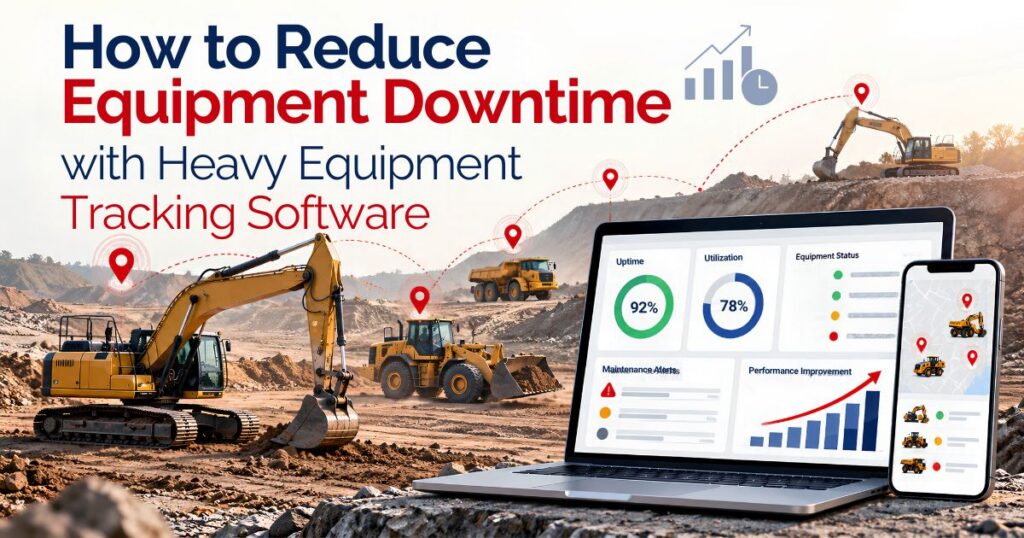
Equipment downtime begins before a technician starts a repair.
A machine may become unavailable after a failed inspection, reported fault, unusual meter reading, delayed return, or missing attachment. It may then spend hours waiting for assessment, days waiting for parts, and additional time awaiting testing or approval.
Heavy equipment tracking software can help rental and fleet teams follow this complete timeline.
The value does not come from knowing only where the machine is located. Teams also need to understand why it is unavailable, who owns the next action, which dependencies remain unresolved, and what must happen before the asset can support another rental.
Software cannot eliminate every breakdown or make technical decisions. It can provide a more dependable record of equipment location, usage, condition, maintenance restrictions, repair progress, and future commitments.
Define Downtime Before Trying to Reduce It
Rental companies need a consistent definition of downtime.
If one branch starts the downtime clock when a machine fails and another starts it when a technician begins work, company-wide reporting will be unreliable.
A practical downtime record may begin when equipment becomes restricted from normal rental use.
The unavailable period could include:
- Awaiting inspection
- Technical assessment
- Approval
- Parts procurement
- Technician or workshop scheduling
- Repair
- Testing
- Return-to-service approval
Recording only technician labour hides many of the delays affecting equipment availability.
The heavy equipment tracking system should retain the downtime start, restriction reason, current stage, responsible employee, waiting periods, work completion date, and approved availability date.
These records help managers distinguish equipment problems from delays caused by parts, transport, workload, external providers, or internal approvals.
Separate Planned and Unplanned Downtime
Not all downtime represents a failure.
Planned downtime may include scheduled inspections, preventive maintenance, component replacement, testing, cleaning, or another approved activity.
Unplanned downtime may follow a breakdown, failed inspection, damage report, unexpected diagnostic condition, or customer-reported fault.
The two categories should remain separate.
A high level of planned downtime may reflect a scheduled maintenance programme. A high level of unplanned downtime may require a different technical and operational review.
Managers should also examine whether planned work occurs during low-demand periods or regularly conflicts with customer reservations.
The purpose is not to eliminate every unavailable hour. Required inspections and maintenance still need appropriate time.
The goal is to reduce avoidable waiting and make equipment restrictions visible before they disrupt another customer booking.
Keep Equipment Identity Consistent
Downtime analysis depends on knowing exactly which machine is affected.
Each serialized asset should have a consistent asset number, serial number, make, model, category, current location, and operating status.
Informal descriptions such as “the excavator at Site B” may work temporarily, but they become unreliable when equipment moves.
Dependable heavy equipment asset tracking keeps each reading, fault, repair, and unavailable period connected with the correct asset.
Attachments may need individual records as well. A machine can be technically operational but unavailable because the required bucket, forks, trailer, battery, or another component is missing or restricted.
Track Location with Operational Context
GPS or telematics may show where equipment was last reported.
That information does not explain whether the machine is available.
A loader may be at the customer site awaiting collection. An excavator may be inside the yard but under maintenance. A generator may have returned but still require inspection and refuelling.
The tracking record should combine location with:
- Customer or project assignment
- Rental dates
- Current operational status
- Expected collection or transfer
- Inspection status
- Open maintenance work
- Future reservation
Timestamps are essential.
A location received several hours earlier should be described as the last known location rather than a confirmed current position.
Employees should also understand whether the information came from a connected device, manual update, transport record, or site confirmation.
A heavy equipment tracking app may make field updates easier, but it should clearly preserve the source and time of each record.
Use Operating Readings to Plan Maintenance
Heavy equipment may require maintenance according to operating hours, mileage, cycles, meter readings, calendar dates, inspection results, or manufacturer guidance.
Connected readings can help teams identify when an approved service threshold is approaching.
Validation remains necessary.
Meter replacement, device reset, delayed transmission, duplicate reading, or incorrect measurement unit can produce misleading information.
The system should highlight unexpected values for review instead of accepting every reading automatically.
A telematics and equipment-watch process can provide additional context for connecting location, operating, and condition data with the corresponding asset record.
The reading informs the maintenance process. It does not decide which technical activity must be completed.
Turn Inspection Findings into Trackable Work
Inspections often provide the first evidence that equipment should become unavailable.
A pre-rental check may identify a leak, damaged component, loose fitting, unusual reading, control issue, or missing attachment.
A return inspection may capture customer-reported concerns, new damage, final readings, photographs, and required follow-up.
If an issue restricts further rental, the equipment status should change immediately.
The inspection should remain connected with the maintenance request and later repair history.
A clear record allows employees to answer:
- What was originally observed?
- Who recorded the issue?
- When did the asset become unavailable?
- What assessment was completed?
- Which work was approved?
- What must happen before release?
Closing the inspection should not automatically make the equipment available. Technical work, parts, testing, documentation, or approval may still remain open.
Make Repair Stages Visible
“Under maintenance” is too broad for useful downtime management.
The machine may be waiting for assessment, technician availability, purchase approval, parts, external service, transport, testing, or final release.
Use work stages that explain the actual situation.
For example:
- Reported → Under Assessment → Approved → In Progress → Awaiting Parts → Testing Required → Approval Pending → Available
The exact stages should match the company’s process.
Every open stage also needs an owner.
A work order marked “awaiting review” provides limited operational value when no employee or team is responsible for completing the review.
A connected maintenance work-order process can help associate inspection findings, technicians, parts, waiting periods, testing, and approval with the correct asset.
Identify Parts-Related Downtime
A machine may remain unavailable long after the technical issue has been diagnosed.
The required component could be out of stock, stored at another branch, reserved for another repair, or waiting for supplier delivery.
The maintenance record should distinguish active repair from parts-related waiting time.
When the part is issued, the transaction should remain connected with the work order and equipment history.
Repeated parts delays may support a review of minimum stock, supplier lead times, purchasing approvals, branch distribution, or substitute components.
That does not mean every frequently used part should be purchased in large quantities.
The decision should consider open work, expected service demand, storage requirements, cost, shelf life where relevant, and supplier reliability.
Connect Downtime with Future Reservations
An unavailable machine affects more than the current repair.
It may already be reserved for another customer or project.
The heavy equipment fleet management software should make upcoming commitments visible when a technical restriction is created.
Employees can then review whether:
- Another suitable asset is available
- Equipment can be transferred from another branch
- The customer needs revised dates
- Transport arrangements must change
- Maintenance can be completed before dispatch
- Rerented equipment should be considered
The system should support this review without automatically selecting replacement equipment.
Suitability depends on capacity, specifications, location, condition, attachments, customer requirements, and technical approval.
The most useful result is earlier visibility. The business has more time to consider alternatives before the customer’s scheduled start date.
Separate Repair Completion from Availability
A technician may complete the repair, but the equipment may still require testing, inspection, cleaning, refuelling, documentation, or approval.
The system should support separate stages where the business needs them:
- Repair Completed → Testing Required → Approval Pending → Available
This helps prevent equipment from appearing in another booking too early.
The record should identify who completed the test, what was reviewed, whether any restriction remained, and who approved the final status.
A suitable preventive management software for rentals can keep the maintenance history, downtime, and equipment status aligned.
Software records the process. Qualified employees remain responsible for the technical decision.
Track Exchanges without Losing Asset History
A customer may need a replacement machine while the original equipment enters repair.
The rental record should preserve both assets.
The original machine may require:
- Collection date
- Customer-reported concern
- Final reading
- Condition record
- Inspection
- Maintenance status
The replacement needs its own dispatch date, opening reading, condition record, customer assignment, and rental history.
Do not overwrite the original serialized asset with the replacement.
Doing so removes the evidence needed to understand which machine experienced the issue and how long it remained unavailable.
A proper exchange record also gives finance and operations a clearer view of transport, additional service, rental continuity, and approved charges.
Use Geofences and Alerts Carefully
Connected tracking systems may create alerts for unexpected movement, location changes, service thresholds, diagnostic conditions, or extended idle periods.
Alerts can support faster review, but too many notifications create noise.
Define:
- Which condition requires an alert
- Who receives it
- What information appears
- When escalation occurs
- What action closes it
A geofence event does not automatically prove theft or misuse.
GPS drift, an approved transfer, customer movement, transport activity, delayed transmission, or an incorrect boundary may explain the result.
The alert should trigger investigation rather than an automatic conclusion.
Remove notifications that repeatedly create no meaningful response.
Calculate the Cost of Downtime Carefully
There is no universal hourly downtime cost for every machine.
The effect depends on the asset, customer agreement, rental rate, replacement availability, project impact, technician cost, transport, and repair requirements.
The company may review:
- Lost or delayed rental revenue
- Replacement-equipment cost
- Transport
- Technician and external-service cost
- Parts
- Customer credits
- Additional labour
- Idle ownership cost
External rate schedules can provide selected cost context, but they should not be treated as a standard rental-industry downtime figure.
For example, the Federal Emergency Management Agency publishes a 2025 Schedule of Equipment Rates for applicant-owned equipment used in eligible U.S. disaster work. The page explains that its rates cover specified ownership and operating costs but exclude operator labour, and that standby equipment is not eligible. The schedule is not a rental-pricing or downtime benchmark.
Rental companies should calculate downtime using their own approved records and definitions.
Review Downtime Patterns, Not Isolated Incidents
One equipment fault may be an isolated event.
Repeated downtime across the same asset, model, component, job type, or branch may indicate a pattern requiring further review.
Managers may compare:
- Unplanned downtime by asset
- Waiting-for-parts time
- Repair duration
- Repeat faults
- Operating hours
- Rental days
- Maintenance expenditure
- Equipment age and condition
- Customer or project context
The heavy equipment management software should allow managers to move from a summary figure to the underlying inspections, readings, work orders, parts, and rental records.
Data identifies where employees should investigate.
It does not determine whether the equipment must be repaired, transferred, replaced, or retired.
Build a Practical Downtime Review
A weekly downtime review does not need to become a long meeting.
Focus on assets that are unavailable, reserved soon, waiting without clear ownership, or experiencing repeated issues.
For each equipment item, confirm:
- Why is it unavailable?
- Which stage is open?
- Who owns the next action?
- What dependency remains?
- Is another customer reservation affected?
- What is the expected review point?
This gives the operation a short, action-focused view of restricted equipment.
Historical reviews can take place monthly or quarterly, depending on fleet size and maintenance activity.
Conclusion
Reducing heavy-equipment downtime requires more than knowing where a machine is located.
Rental and fleet teams need to understand when equipment became unavailable, why it was restricted, which repair stage is open, whether parts or approvals are delaying progress, and what must happen before the asset returns to service.
The right heavy equipment tracking software can connect location, usage, inspections, maintenance work, downtime, future reservations, and equipment history.
Its value depends on accurate records, clear ownership, practical alerts, and qualified technical review.
Begin with one equipment category. Define downtime consistently, make waiting stages visible, connect maintenance with future bookings, and separate repair completion from approved availability.
Need a solution for heavy-equipment tracking and downtime? Book a free demo using location, maintenance, parts, and return-to-service scenarios from your fleet, or email sales@prexa365.com to discuss tracking, downtime, maintenance, and reporting requirements.


