Crane Rental Management Software: From Booking to Billing
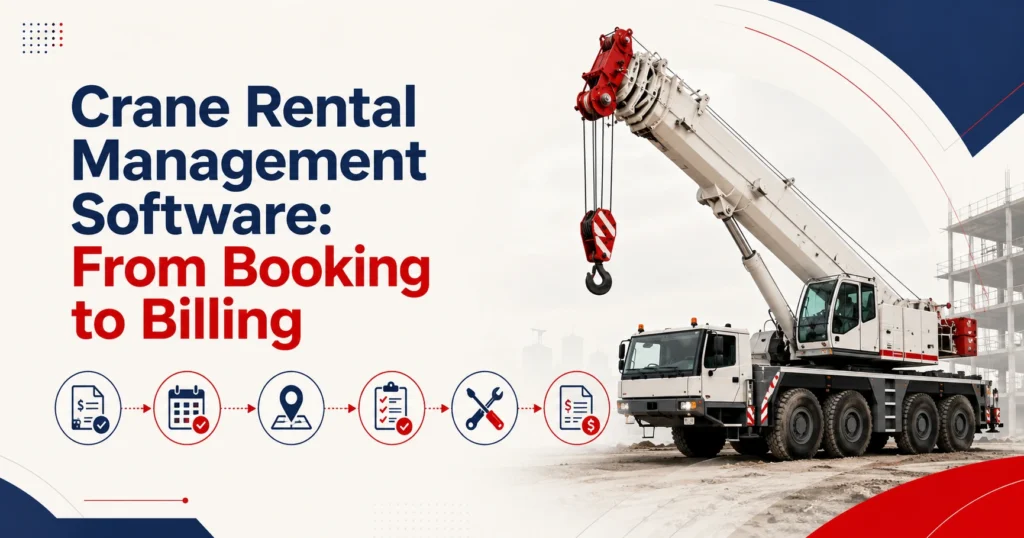
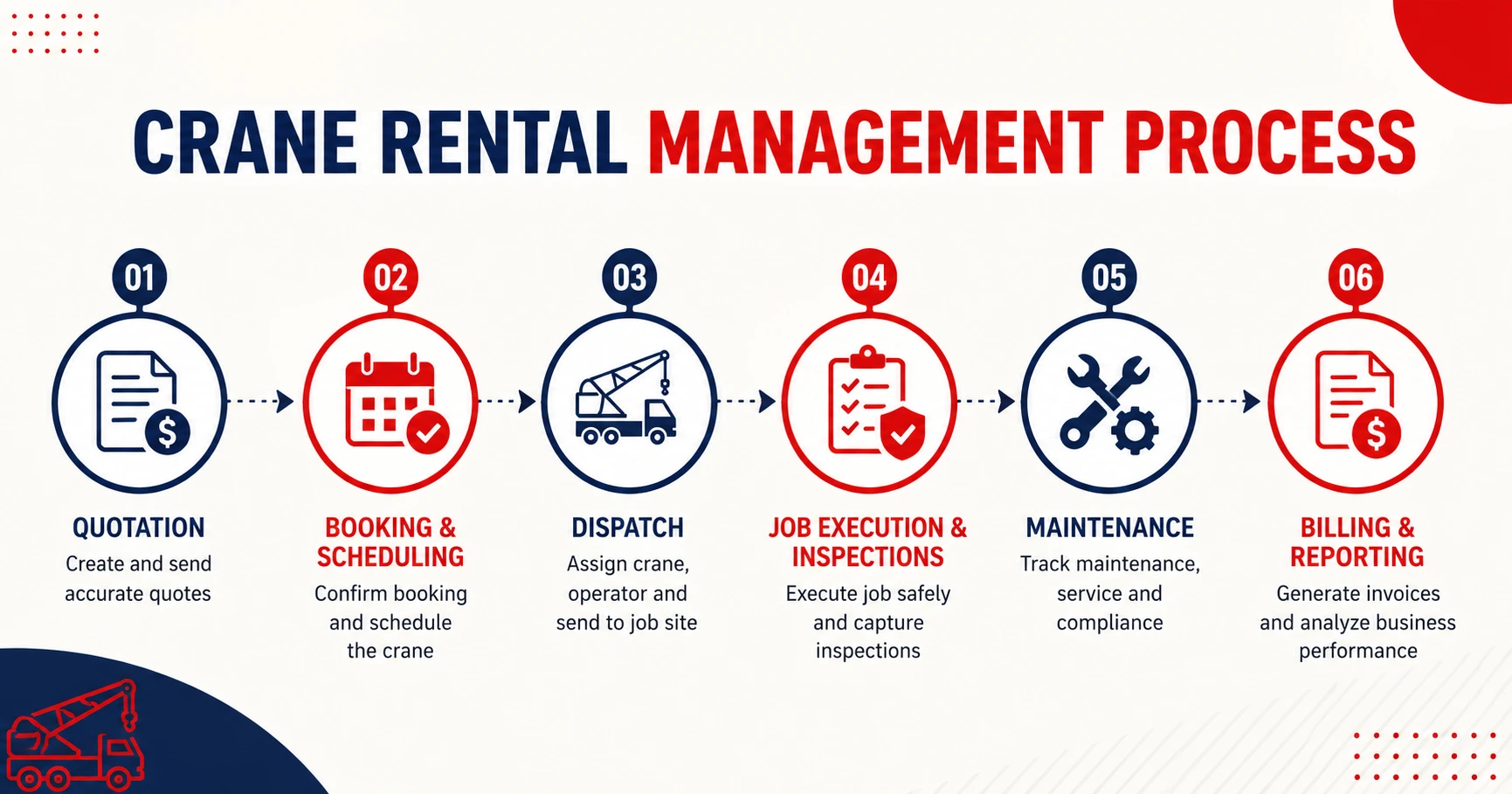
Crane rental management software connects customer quotations, crane availability, job scheduling, dispatch, inspections, maintenance, operator records, and billing within the same rental process. It gives office and field teams a shared record of what equipment has been requested, where it needs to go, and how the completed job should be billed.
Crane rentals involve more variables than a basic equipment booking. The business may need to coordinate the crane, attachments, operator, transport, job-site access, service requirements, working hours, and additional charges.
When these records sit in separate spreadsheets or applications, updates can be missed. A changed job date may not reach dispatch. An inspection issue may not update availability. Finance may receive the original quotation without the final operator or waiting-time records.
The right system connects these activities while keeping the responsibilities clear. Software can organise job and equipment information, but it does not replace lift planning, qualified inspections, operator competence, engineering decisions, or applicable safety procedures.
Organise Cranes, Attachments, and Equipment Details
A crane rental company may manage mobile cranes, crawler cranes, tower cranes, truck-mounted cranes, carry-deck cranes, or other equipment categories. Each category may contain several makes, models, capacities, and configurations.
The system should maintain both equipment groups and individual crane records.
A customer may initially request a crane with a particular capacity and boom length. The quotation can refer to the suitable equipment class before operations assigns the exact serialized unit.
Each crane record may include:
- Make, model, serial number, and asset number
- Rated capacity and boom configuration
- Current depot, branch, or job site
- Operating hours or meter readings
- Inspection and maintenance status
Attachments and related equipment should also remain connected with the crane or job where relevant. These may include jibs, hooks, counterweights, rigging equipment, mats, or transport components.
Companies managing equipment across several depots may also need rental fleet management software that connects equipment status, location, utilization, and maintenance history.
A crane fleet management software system should help employees distinguish between a crane that is physically present and one that is ready for assignment. Equipment may be at the yard but unavailable because it is reserved, awaiting inspection, under maintenance, or missing a required component.
Capture Customer and Job Requirements
A crane rental request should begin with clear customer and job information.
The record may include the customer account, job-site address, project contact, work dates, expected duration, requested crane type, capacity requirement, access notes, and additional service needs.
The business may also need to record whether an operator, transport, setup support, or another service forms part of the agreement.
Software can keep these requirements associated with the quotation and rental job. However, it should not be treated as a substitute for a site assessment, engineering review, lift plan, or crane-selection decision.
Employees should also record revisions. Construction schedules often change, and the original request may no longer match the final job.
Keeping the initial requirement and approved changes within the same record helps sales, dispatch, operations, and billing teams understand what the customer requested and what the business agreed to provide.
Prepare Accurate Crane Hire Quotations
Crane pricing may depend on the equipment type, job duration, customer agreement, location, operator time, transport, and additional services.
Suitable rental quoting management software should retain crane requirements, job details, rental periods, customer rates, and approved charges.
A quotation may include:
- Hourly, daily, weekly, or project rates
- Operator or crew time
- Delivery, pickup, and transport
- Setup or dismantling services
- Waiting time, overtime, or additional equipment
The quote should show which price list or customer agreement was used. Discounts and exceptions may require approval when they exceed an employee’s authority.
Crane hire software should also preserve quotation revisions. If the customer changes the crane capacity, project date, or expected working hours, employees should be able to identify which version was accepted.
Once approved, the customer, job, pricing, crane requirement, and service details should carry into the rental or job order without being entered again.
Schedule Cranes, Operators, and Job Activity
A crane may be suitable for a job but unavailable during the required period. It may already be assigned, under maintenance, at another location, or moving between sites.
A connected rental scheduling system should show whether the crane and related resources are available throughout the proposed job period.
Availability should consider more than the planned working hours. The complete period may include:
- Equipment preparation
- Transport to the site
- Setup or pre-job activity
- Active job time
- Return transport and inspection
Maintenance restrictions must also appear in the schedule. A crane due for service may be unsuitable for a long assignment even when it is currently at the depot.
Crane scheduling software should make date or resource conflicts visible. Still, reliable results depend on employees recording extensions, delays, transfers, maintenance holds, and completed jobs promptly.
Changes should update all relevant records. If a project moves by two days, dispatch, equipment availability, operator assignments, transport requirements, and customer communication may all require review.
Coordinate Dispatch and Field Records
Once the job is confirmed, dispatch needs a clear record of the assigned crane, operator, transport details, site address, project contact, and planned arrival.
The dispatch record may also include access instructions, equipment configuration, attachments, and the person responsible for the job.
A crane rental job management software process should allow authorised field or office employees to update the job as work progresses. Depending on the company’s method, this may include arrival time, work start, waiting time, completion, operating hours, and supporting notes.
These records can support invoicing, but they should remain subject to the company’s review and approval process.
Field records should also preserve changes. If a site delay creates additional waiting time or the project requires another shift, the job history should identify what changed, when it changed, and who approved it.
Connect Inspections, Maintenance, and Crane Readiness
Crane availability must reflect its inspection and maintenance status.
Pre-job or pre-rental checks may record condition, meter readings, visible issues, attachments, and other information required by the company’s process. Post-job records may document equipment condition, reported concerns, final readings, or required service work.
Accurate records do not replace qualified inspections or safety procedures. However, they help teams confirm whether the correct documents, restrictions, and maintenance history remain connected with the right crane.
The U.S. Bureau of Labor Statistics reported 297 crane-related occupational deaths between 2011 and 2017. The statistic does not measure rental-software performance, but it reinforces the importance of disciplined equipment, inspection, and job records in crane operations.
Connecting inspection findings with preventive maintenance software can help keep service schedules, reported issues, maintenance status, and equipment availability associated with the correct crane.
Software stores and connects the records. Qualified employees remain responsible for inspections, maintenance decisions, repairs, testing, and release to service.
If a crane fails an inspection or has an unresolved service requirement, its status should prevent assignment to another job until the required work and approval are complete.
Handle Job Changes, Extensions, and Equipment Exchanges
Job schedules can change after the crane has been assigned or dispatched.
A project may run longer than planned. The customer may require a different crane capacity, configuration, or operating period. A reported equipment issue may require a replacement unit.
The system should preserve the original crane and replacement histories rather than overwrite the first assignment. Each unit should retain its job dates, meter readings, condition records, and reason for the change.
An extension must also trigger another availability check. Keeping one crane on site longer may affect its next booking, transport arrangement, inspection, or maintenance schedule.
Pricing and contract records should reflect approved changes. This gives finance a clearer basis for billing additional time or services.
Convert Job Records into Billing Information
The final invoice should reflect approved job activity rather than only the original quotation.
Depending on the agreement, billing may include crane rental or hire, operator time, transport, setup, waiting time, overtime, additional services, and other approved charges.
Connecting completed job activity with rental accounting software may reduce repeated entry when invoices, customer records, asset costs, vendor bills, and payments move into the financial process.
Before configuring the billing process, the business should decide:
- Which job records create financial charges
- Who reviews and approves the invoice
- How customer rates and taxes are applied
- Which system manages posting and payment status
- How incomplete or failed transactions are reviewed
The process should retain a clear connection between the job, crane, customer, approved work, and invoice.
Review Crane Fleet and Job Performance
Operational reports can help managers understand how cranes, branches, and jobs are performing.
Useful measures may include crane utilization, rental or job revenue, downtime, maintenance expenditure, job duration, waiting time, and repeat service concerns.
A rental reporting system can help managers compare these measures when the underlying job, asset, and financial records remain accurate. PREXA365’s reporting page lists utilization, revenue, fleet performance, custom reports, and Power BI reporting among its published capabilities.
No single measure tells the full story.
A crane may have high utilization but also experience frequent maintenance or excessive transport costs. Another unit may work fewer jobs but generate stronger revenue because it serves specialist projects.
Managers should review utilization, revenue, downtime, service cost, and asset value together before deciding whether to retain, transfer, repair, replace, or purchase equipment.
Crane Rental Software Buying Checklist
Use a realistic crane job during each product demonstration.
| Area | What to verify |
| Crane records | Types, models, serial numbers, capacity, configuration, attachments, and location |
| Quoting | Rates, operator time, transport, overtime, approvals, and revisions |
| Scheduling | Crane, job, maintenance, operator, and transport availability |
| Field activity | Dispatch, site information, job timing, updates, and supporting records |
| Maintenance | Inspections, service schedules, restrictions, repairs, and history |
| Billing | Approved charges, invoices, accounting connections, and payment status |
| Reporting | Utilization, downtime, revenue, costs, and job performance |
| Implementation | Data migration, permissions, training, configuration, and support |
Ask the provider to demonstrate one complete scenario. It should include a customer enquiry, revised quote, crane assignment, schedule change, dispatch, inspection issue, job extension, additional charge, invoice, and performance report.
That test will reveal how the platform handles day-to-day exceptions, not just standard transactions.
How PREXA365 Supports Crane Rental Operations
PREXA365 can be assessed against the crane, job, branch, operator, maintenance, pricing, and accounting requirements discussed in this guide.
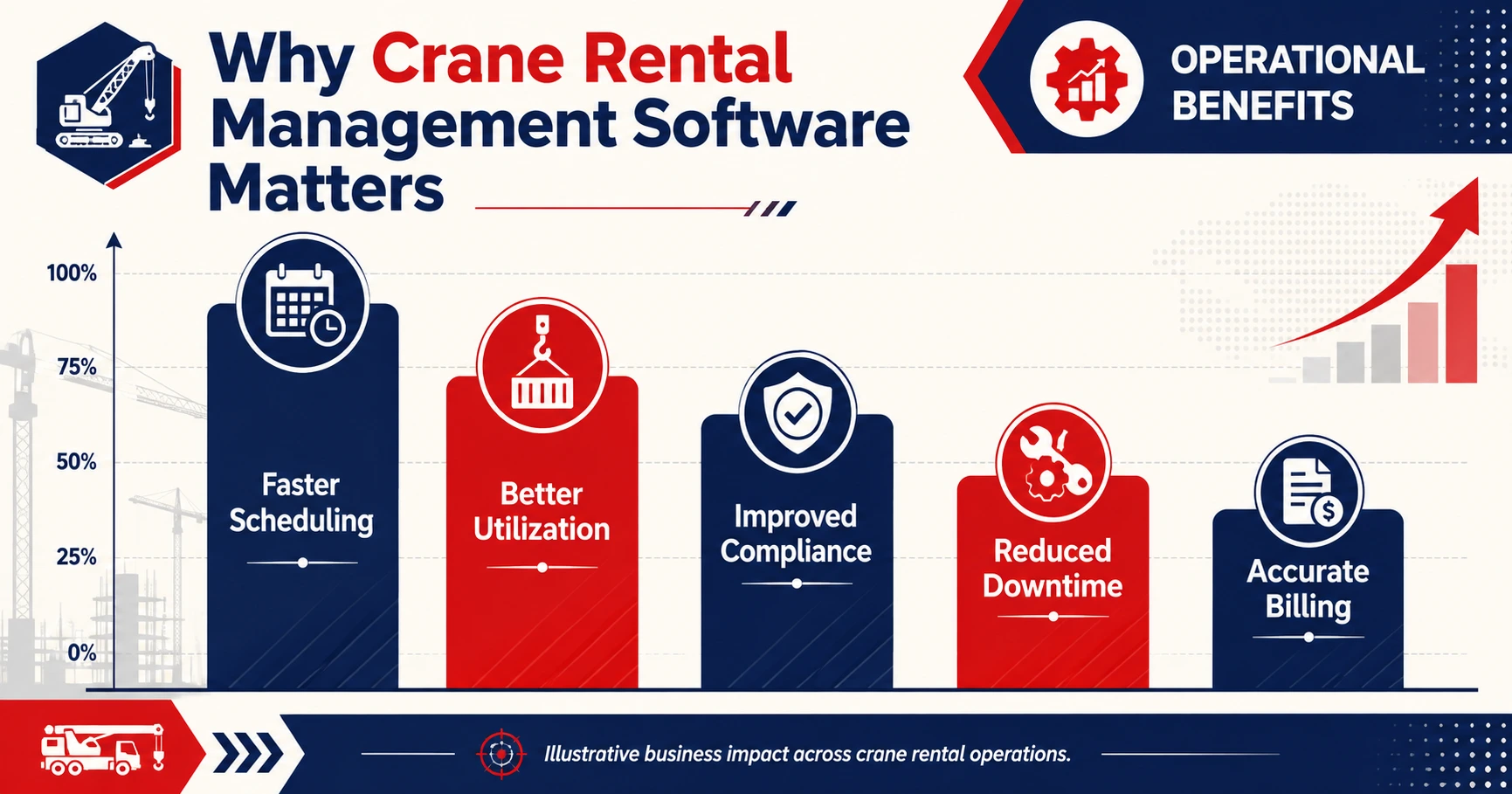
Its published crane-rental page describes functions related to quotations, job planning, crane scheduling, equipment availability, maintenance records, field activity, billing, and fleet reporting.
The business should still confirm what is included as standard, what requires configuration, which integrations are available, and whether migration or implementation services are required.
A software selection should be based on documented workflows and tested scenarios rather than broad promises about automation or operational results.
Conclusion
Crane rentals require connected equipment, customer, scheduling, field, maintenance, and billing records.
The right crane rental management software should help employees follow a job from quotation to invoice while preserving the history of the crane, operator, inspection, job changes, and approved charges.
Before choosing a platform, document your current process and test each shortlisted system with a realistic crane job.
Book a free demo to review PREXA365 using a scenario relevant to your business, or email sales@prexa365.com to discuss scheduling, maintenance, job records, and billing requirements.
Frequently Asked Questions
What is crane rental management software?
Crane rental management software helps businesses record customer requirements, quotations, crane availability, jobs, dispatch, inspections, maintenance, billing, and fleet reporting.
What information should a crane rental system record?
The system may record crane type, capacity, serial number, configuration, location, meter readings, status, attachments, customer requirements, job dates, inspections, maintenance, and billing information.
Can crane scheduling software prevent booking conflicts?
It can identify overlapping crane, maintenance, transport, or job records when the underlying data remains current. Employees still need to record extensions, schedule changes, and equipment restrictions promptly.
How does crane software support maintenance?
The software may connect inspection findings, service schedules, work records, meter readings, downtime, and equipment status with the individual crane. Qualified employees remain responsible for maintenance decisions and approval.
What should I ask during a software demonstration?
Ask the provider to demonstrate a complete job from quotation to invoice. Include a schedule change, failed inspection, crane replacement or extension, additional charge, and management report.